eBay Gift Cards: A Game Changer for Every Online Shopper in 2026
What is Ebay Gift Card?
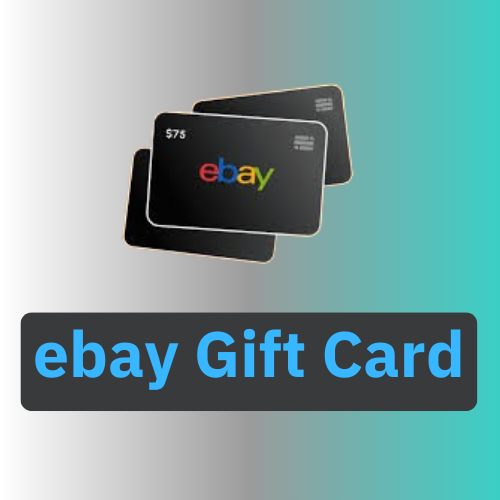
An eBay Gift Card is a prepaid card that can be used to make purchases on eBay, the online marketplace. It functions like a form of digital or physical currency, allowing users to shop for a wide variety of products sold on the platform without using a credit or debit card. The card can be loaded with a specific monetary value,
typically ranging from $10 to $500. Key Features of eBay Gift Cards:-Physical Gift Cards: These come in card form and can be purchased from retail stores or online. Digital Gift Cards: These are sent electronically via email or text and can be used almost immediately.
How to Get Ebay Gift Card?
You can get an eBay Gift Card in several ways: From eBay: Purchase digital or physical eBay Gift Cards directly on the eBay Gift Cards page. Digital cards are emailed immediately, while physical cards are mailed to your address. Retail Stores: Many stores like Walmart, Target, CVS, and Best Buy sell eBay Gift Cards in denominations such as $25, $50, and $100. Online Retailers: Websites like Amazon and third-party sites like Gift Card Granny offer eBay Gift Cards for purchase. PayPal: Sometimes PayPal offers eBay Gift Cards as part of promotions or cashback deals. Reward Apps: Apps like Swagbucks and MyPoints let you earn eBay Gift Cards through rewards for tasks like shopping, surveys, or watching videos. Once you have a card, you can redeem it by entering the 16-digit code in the “Payment Methods” section of your eBay account.

How to Use Ebay Gift Card?
Using an eBay Gift Card is easy and straightforward.
Here’s how to do it: Log In to Your eBay Account: Go to the eBay website
and sign in with your credentials. Go to “My eBay”: Navigate to the “My eBay” section (usually found at the top of the page). Access Payment Methods: In “My eBay”, go to “Account” and then “Payment Methods”. Redeem the Gift Card: Look for the option to add a Gift Card or Voucher. Enter the 16-digit code from your physical or digital eBay Gift Card. Apply at Checkout: When you make a purchase on eBay, your gift card balance will automatically be applied to the total cost at checkout. Use Additional Payment: If your gift card balance doesn’t cover the full amount, you can pay the remaining balance using another payment method,
such as PayPal or a credit card
How to Redeem Ebay Gift Card?
To redeem an eBay Gift Card, follow these simple steps: Log in to Your eBay Account: Go to eBay
and sign in using your account details. Navigate to “My eBay”: In the top right corner, click on “My eBay” to access your account settings. Go to Payment Methods: Under the “Account” tab, find and click on “Payment Methods”. Enter the Gift Card Code: Look for the “Add a Gift Card or Voucher” section. Enter the 16-digit code from your physical or digital eBay Gift Card. Apply the Card: After entering the code, click “Apply” to add the balance to your eBay account. Use at Checkout: When you check out on eBay, the gift card balance will automatically apply to your order.
If the gift card amount doesn’t cover the full purchase, you can pay the remaining balance using another payment method